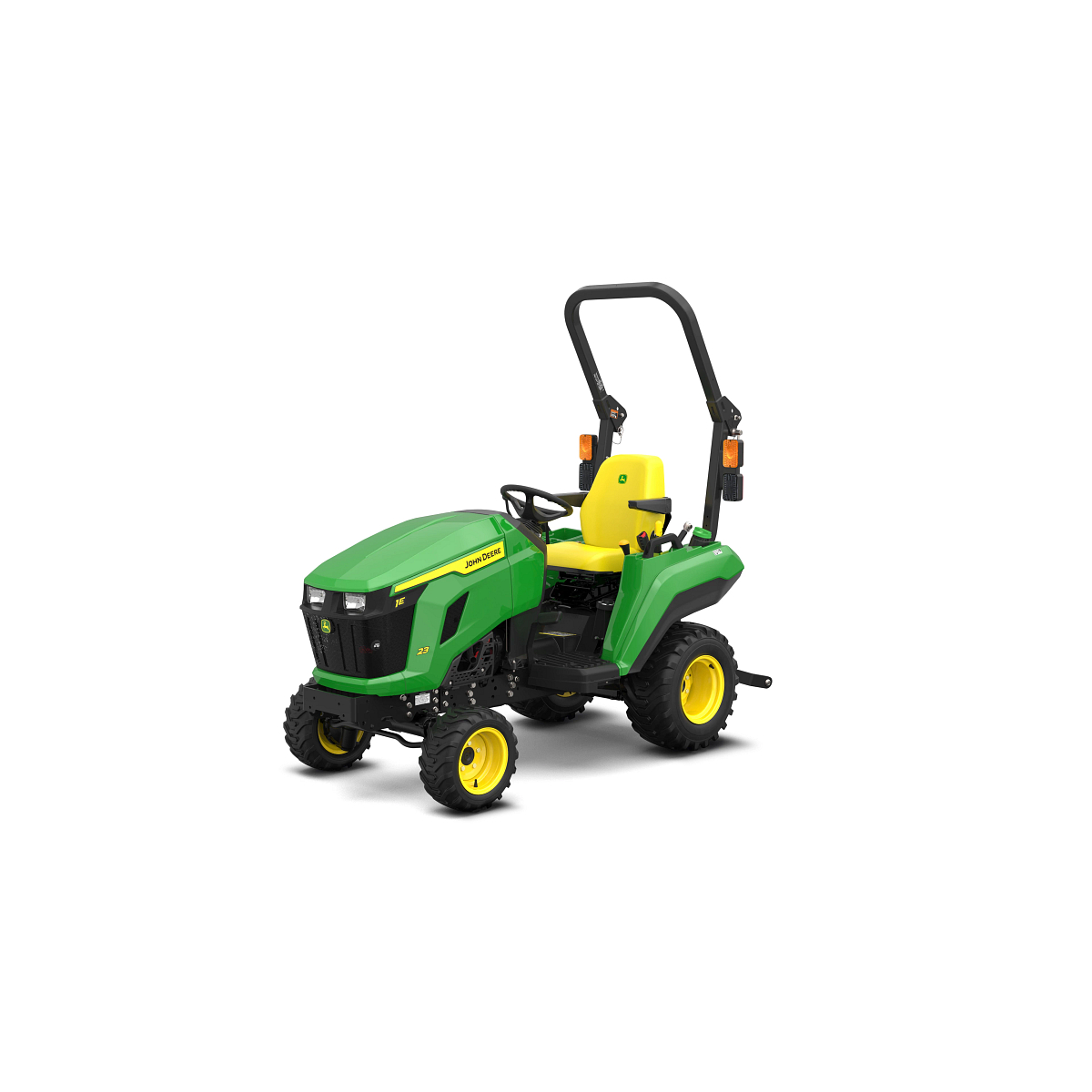
<div class="accordion-wrap"><div class="accordion2_component"><div class="accordion2_top"><div class="text-size-medium text-weight-bold">Quick and Easy Implement Connectivity</div><div class="accordion2_icon w-embed"><svg width="100%" height="100%" viewBox="0 0 32 32" fill="none" xmlns="http://www.w3.org/2000/svg"><path d="M25.3333 15.667V16.3336C25.3333 16.7018 25.0349 17.0003 24.6667 17.0003H17V24.667C17 25.0351 16.7015 25.3336 16.3333 25.3336H15.6667C15.2985 25.3336 15 25.0351 15 24.667V17.0003H7.3333C6.96511 17.0003 6.66663 16.7018 6.66663 16.3336V15.667C6.66663 15.2988 6.96511 15.0003 7.3333 15.0003H15V7.33365C15 6.96546 15.2985 6.66699 15.6667 6.66699H16.3333C16.7015 6.66699 17 6.96546 17 7.33365V15.0003H24.6667C25.0349 15.0003 25.3333 15.2988 25.3333 15.667Z" fill="currentColor"></path></svg></div></div><div style="width: 1118px; height: 0px;" class="accordion2_bottom"><div class="margin-bottom margin-small"><div><div class="seccion-images"> <div> <img src="https://salesmanual.deere.com/customer/sales/salesmanual/images/NA/tractors/cuts/imp_attach_drive_350x222.jpg" alt="Drive-over deck makes connection simple"><span class="caption">Drive-over deck makes connection simple</span> </div> </div> <p>1 Series Tractors are designed to minimize the time and effort needed to switch-out implements to accommodate different jobs.</p> <p> </p> <ul> <li><strong>AutoConnect™ Deck System</strong>: Connect a mid-mount mower deck to the tractor without leaving the seat except to lock the gauge wheels.</li> <ul> <li><a href="http://dlrdoc.deere.com/sales/salesmanual/en_NA/material_handling/attachments/_cut_equipment/bxx10241_load_n_go_ramps.html">Load-N-Go attachment</a>: Easily move your 54D or 60D AutoConnect<strong>™</strong> Deck with your John Deere Loader after it has been disconnected from the tractor with the Load-N-Go ramps.</li> </ul> <li><strong>Quik-Park™ Loader System</strong>: 120R Quik-Park™ Loaders are designed for easy mounting and removal in about a minute, with no tools needed.</li> <li><strong>Quik-Tatch™ front hitch</strong>: Save time switching front implements like a snow blower, rotary broom, or front blade without tools.</li> <li><strong>iMatch™ quick-hitch</strong>: Easily hookup Category 1 implements in seconds using three fixed points to back in and pick up rear implements without leaving the seat <ul> <li><strong>Position control hitch on 1M 25 and 1R 25: </strong>Set the rear hitch height and then consistently lower the hitch to the exact height every time, which is especially useful in grading and leveling applications.</li> </ul></li> <li><strong>Quik-Knect™ system: </strong>Connect power take-off (PTO)-driven implements quickly and with low physical effort. The Quik-Knect system utilizes one connector for the tractor’s PTO shaft and a designated connector for each implement which eliminates twisting and forcing splines to align.</li> </ul> <p>1 Series Tractors can have up to three implements mounted simultaneously due to standard dual selective control valves (SCVs), allowing you to switch from using one implement to another without stopping to adjust. When a third SCV kit is added, the number of possible combinations is greatly increased.</p> <ul> <li><a href="https://salesmanual.deere.com/sales/salesmanual/en_NA/aftermarket/2023/other_supplemental/aftermarket_1er_2025r.html">1E and 1R Aftermarket Solutions</a></li> <li><a href="https://salesmanual.deere.com/sales/salesmanual/explore_solutions/frontier.html">Frontier</a></li> </ul></div></div></div></div><div class="accordion2_component"><div class="accordion2_top"><div class="text-size-medium text-weight-bold">Open Station with Foldable Roll Over Protection System (ROPS)</div><div class="accordion2_icon w-embed"><svg width="100%" height="100%" viewBox="0 0 32 32" fill="none" xmlns="http://www.w3.org/2000/svg"><path d="M25.3333 15.667V16.3336C25.3333 16.7018 25.0349 17.0003 24.6667 17.0003H17V24.667C17 25.0351 16.7015 25.3336 16.3333 25.3336H15.6667C15.2985 25.3336 15 25.0351 15 24.667V17.0003H7.3333C6.96511 17.0003 6.66663 16.7018 6.66663 16.3336V15.667C6.66663 15.2988 6.96511 15.0003 7.3333 15.0003H15V7.33365C15 6.96546 15.2985 6.66699 15.6667 6.66699H16.3333C16.7015 6.66699 17 6.96546 17 7.33365V15.0003H24.6667C25.0349 15.0003 25.3333 15.2988 25.3333 15.667Z" fill="currentColor"></path></svg></div></div><div style="width: 1118px; height: 0px;" class="accordion2_bottom"><div class="margin-bottom margin-small"><div><div class="seccion-images"> <div> <img src="https://salesmanual.deere.com/customer/sales/salesmanual/images/NA/tractors/cuts/r4i020023_350x300.jpg" alt="1E 23 Open Station ROPS"><span class="caption">1E 23 Open Station ROPS</span> </div> <div> <img src="https://salesmanual.deere.com/customer/sales/salesmanual/images/NA/tractors/cuts/r4i020013_392x300.jpg" alt="1E 23 Open Station Operator Station"><span class="caption">1E 23 Open Station Operator Station</span> </div> </div> <p>The operator's station has been designed for greater operator comfort and visibility.</p> <ul> <li>Sloping hood design provides improved visibility</li> <li>Plenty of room for comfortable operation</li> <li>Retractable seat belt</li> <li>Large, easy-to-read automotive-style instrument panel</li> <li>Step-through operator station makes getting on and off the tractor easy</li> <li>Fender-mounted handrails, large and easy to grab, assist the operator when getting on and off the tractor</li> <li>Controls are on the fenders for operator convenience</li> <li>Operator controls are color-coded for easier identification</li> <li>Front horizontal exhaust for increased operator visibility</li> </ul></div></div></div></div><div class="accordion2_component"><div class="accordion2_top"><div class="text-size-medium text-weight-bold">Twin Touch™ Foot Controls</div><div class="accordion2_icon w-embed"><svg width="100%" height="100%" viewBox="0 0 32 32" fill="none" xmlns="http://www.w3.org/2000/svg"><path d="M25.3333 15.667V16.3336C25.3333 16.7018 25.0349 17.0003 24.6667 17.0003H17V24.667C17 25.0351 16.7015 25.3336 16.3333 25.3336H15.6667C15.2985 25.3336 15 25.0351 15 24.667V17.0003H7.3333C6.96511 17.0003 6.66663 16.7018 6.66663 16.3336V15.667C6.66663 15.2988 6.96511 15.0003 7.3333 15.0003H15V7.33365C15 6.96546 15.2985 6.66699 15.6667 6.66699H16.3333C16.7015 6.66699 17 6.96546 17 7.33365V15.0003H24.6667C25.0349 15.0003 25.3333 15.2988 25.3333 15.667Z" fill="currentColor"></path></svg></div></div><div style="width: 1118px; height: 0px;" class="accordion2_bottom"><div class="margin-bottom margin-small"><div><div class="seccion-images"> <div> <img src="https://salesmanual.deere.com/customer/sales/salesmanual/images/NA/tractors/cuts/foot_controls_276x224.jpg" alt="Twin Touch™ foot controls"><span class="caption">Twin Touch™ foot controls</span> </div> </div> <p>Twin Touch™ foot controls allow you to select both speed and direction of travel with a touch of the toe. Ideally suited for jobs where productivity is a must, such as loader or mower applications.</p> <ul> <li>Infinite ground speeds, even at full throttle, to match the job</li> <li>No clutching for fast direction changes</li> <li>Provides high torque for start up</li> <li>Reduces power train shock loads</li> <li>Large foot pedals were designed for your comfort and allow for convenient operation of the tractor</li> </ul></div></div></div></div><div class="accordion2_component"><div class="accordion2_top"><div class="text-size-medium text-weight-bold">Know more about your tractor with Equipment Mobile and a John Deere Smart Connector</div><div class="accordion2_icon w-embed"><svg width="100%" height="100%" viewBox="0 0 32 32" fill="none" xmlns="http://www.w3.org/2000/svg"><path d="M25.3333 15.667V16.3336C25.3333 16.7018 25.0349 17.0003 24.6667 17.0003H17V24.667C17 25.0351 16.7015 25.3336 16.3333 25.3336H15.6667C15.2985 25.3336 15 25.0351 15 24.667V17.0003H7.3333C6.96511 17.0003 6.66663 16.7018 6.66663 16.3336V15.667C6.66663 15.2988 6.96511 15.0003 7.3333 15.0003H15V7.33365C15 6.96546 15.2985 6.66699 15.6667 6.66699H16.3333C16.7015 6.66699 17 6.96546 17 7.33365V15.0003H24.6667C25.0349 15.0003 25.3333 15.2988 25.3333 15.667Z" fill="currentColor"></path></svg></div></div><div style="width: 1118px; height: 0px;" class="accordion2_bottom"><div class="margin-bottom margin-small"><div><div class="seccion-images"> <div> <img src="https://salesmanual.deere.com/customer/sales/salesmanual/images/NA/ams/plus_mobile/equipment_mobile_resources_225x450.jpg" alt="Equipment Mobile Resources"><span class="caption">Equipment Mobile Resources</span> </div> </div> <h5>Overview</h5> <div class="seccion-images"></div> <p>Setup, operate, and maintain your tractor with Equipment Mobile and a John Deere Smart Connector.<br><br>To download the free Equipment Mobile app, visit the Apple® App Store® or Google Play™ store.<br><br>You can now view information about your tractor with a Smart Connector in Equipment Mobile. Take advantage of familiar TractorPlus features in Equipment Mobile such as the Live Dashboard and Diagnostic Trouble Code alerts. Equipment Mobile offers additional tools to help you manage not just your tractor, but your entire fleet in one place.<br><br>Any size and type of operation will appreciate the features in Equipment Mobile. View <u><a href="https://onlinesupport.deere.com/search/?page=1&term=equipment+mobile">help documentation</a></u> to learn more about the application.<br><br>A John Deere account is needed to use the Equipment Mobile app. Here’s a great overview of how to do it: <a href="https://www.youtube.com/embed/VAdxpegyT_w" target="_blank" rel="noopener">How to Create A John Deere Account | John Deere</a> <u>(youtube.com)</u></p> <h5>Benefits</h5> <div class="seccion-images"></div> <p>Equipment Mobile:</p> <ul> <li>Quickly scan the PIN to access maintenance, parts, and manual information</li> <li>Conveniently access and share Diagnostic Trouble Codes for troubleshooting</li> <li>Receive maintenance reminders and parts recommendations to minimize downtime</li> <li>Access equipment that is already loaded into your Operations Center account by logging into Equipment Mobile with your John Deere account login</li> <li>Create daily checklists to increase efficiency</li> </ul> <h5>Additional details</h5> <div class="seccion-images"></div> <p>Please note that Smart Connectors offer local connectivity via Bluetooth, while <a class="react-spectrum-RichTextEditor-link" href="/docs/sales/salesmanual/en_NA/ams/2026/feature/jdlink/cb_jdlink_m_modem.html">JDLink modems</a> enable remote connectivity and provide valuable data including location, machine performance metrics, health data, access to John Deere Connected Support services, and more.</p> <p> </p> <p>Users can still benefit from Equipment Mobile if they do not have a Smart Connector.</p> <p> </p> <p>Installing the Smart Connector will offer additional capabilities to help monitor equipment by sending information from the tractor to the user’s mobile device using Bluetooth® wireless capability. The following table outlines the differences between using Equipment Mobile with and without a Smart Connector.</p> <p> </p> <table style="border-collapse: collapse;" border="1" cellspacing="1" cellpadding="1"> <tbody> <tr> <td width="437"><p style="text-align: center;"><strong>Equipment Mobile app</strong></p></td> <td width="332"><p style="text-align: center;"><strong>Additional Equipment Mobile app features with Smart Connector</strong></p></td> </tr> <tr> <td style="vertical-align: middle;" width="437"> <ul> <li>Factory maintenance plans with instructions, parts numbers, and ability to manually record completion</li> <li>Manually track engine hours for maintenance</li> <li>View and search Operator’s Manuals</li> <li>View parts diagrams</li> <li>View and add equipment to your organization</li> <li>Look up alert and Diagnostic Trouble Code (DTC) definitions with ability to contact John Deere dealer</li> <li>Link to YouTube videos for maintenance and Operator Manual information</li> <li>View compatible implements </li> <li>Tips articles and videos for compact utility tractors (excluding 5 Series Tractors)</li> <li>Manage all equipment and implements in one spot</li> <li>Daily checklists</li> </ul></td> <td style="vertical-align: middle;" width="332"> <ul> <li>Live tractor information such as engine load, fuel rate, coolant temperature, etc.</li> <li>Automatically record engine hours, fuel level, and diesel exhaust fluid level (if applicable) for maintenance tracking history</li> <li>Receive alerts of present and view stored DTCs to share with the dealer via email for support and troubleshooting</li> </ul></td> </tr> </tbody> </table> <div class="seccion-images"> <div> <img src="https://salesmanual.deere.com/customer/sales/salesmanual/images/NA/ams/plus_mobile/wireless_trouble_code_access_208x450.jpg" alt="Wireless Trouble Code Access"><span class="caption">Wireless Trouble Code Access</span> </div> <div> <img src="https://salesmanual.deere.com/customer/sales/salesmanual/images/NA/ams/plus_mobile/live_equipment_dashboard_202x450.jpg" alt="Live equipment dashboard in Equipment Mobile"><span class="caption">Live equipment dashboard in Equipment Mobile</span> </div> </div> <div class="seccion-images"></div> <p>To pair the John Deere Smart Connector with a phone and tractor, you must first be in range with the tractor equipped with the John Deere Smart Connector. Once the Smart Connector is plugged in and the tractor is keyed on, the Smart Connector will be available to pair within Equipment Mobile. The flow of pairing a Smart Connector in Equipment Mobile is shown below.</p> <div class="seccion-images"> <div> <img src="https://salesmanual.deere.com/customer/sales/salesmanual/images/NA/ams/plus_mobile/step_1_211x450.jpg" alt="Step 1"><span class="caption">Step 1</span> </div> <div> <img src="https://salesmanual.deere.com/customer/sales/salesmanual/images/NA/ams/plus_mobile/step_2_214x450.jpg" alt="Step 2"><span class="caption">Step 2</span> </div> <div> <img src="https://salesmanual.deere.com/customer/sales/salesmanual/images/NA/ams/plus_mobile/step_3_215x450.jpg" alt="Step 3"><span class="caption">Step 3</span> </div> </div> <p>Apple and App Store are trademarks of Apple Inc. Google Play, and YouTube are trademarks of Google LLC. Bluetooth is a trademark of Bluetooth SIG, Inc.</p></div></div></div></div></div>